 Project Controls 360
My project controls work
Each piece of work below solves one problem that comes up on real P6 schedules: reporting, schedule analysis, early warning, performance, delay and recovery, and risk. Open any card to see the problem, how it works and the result.

Monthly reporting automation
From two days of manual Excel work each month to a folder drop and a refresh.
~2 days → seconds
Multi-project portfolio dashboard
Several P6 projects rolled into one Power BI view, refreshed from XER files.
3 projects · 1 model
Look-ahead: 30, 60 and 90 days
The work that needs attention in the coming weeks, flagged straight from P6.
30 / 60 / 90-day windows
Milestone delay drivers
Trace any late milestone back to the activity that is actually pushing it.
Driving path · added delay
Schedule changes between updates
Every change between two P6 updates, counted and listed by type.
12 change types
Schedule health checks
DCMA-style checks that show how far the schedule can be trusted.
8 checks
Float erosion early warning
Spot activities that will turn critical before they reach the critical path.
Critical within 2 updates
Planning reliability (BEI)
Is the plan being delivered? BEI, forecast hit rate and missed promises.
BEI · forecast hit %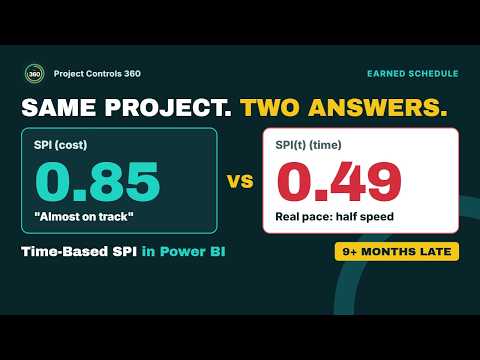
Earned Schedule: SPI vs SPI(t)
Why cost SPI makes a schedule look better than it is, and what SPI(t) shows.
SPI 0.85 vs SPI(t) 0.49
What-if delay and recovery engine
Every delay scenario and the best recovery plan for a live P6 schedule, in seconds.
859 activities · 45 s · 4 s
Schedule risk analysis (QSRA)
The real chance of meeting the P6 finish date, with P50 and P80 dates.
0.4% chance of the P6 date