 Project Controls 360
Milestone delay drivers: trace a late milestone to its root cause
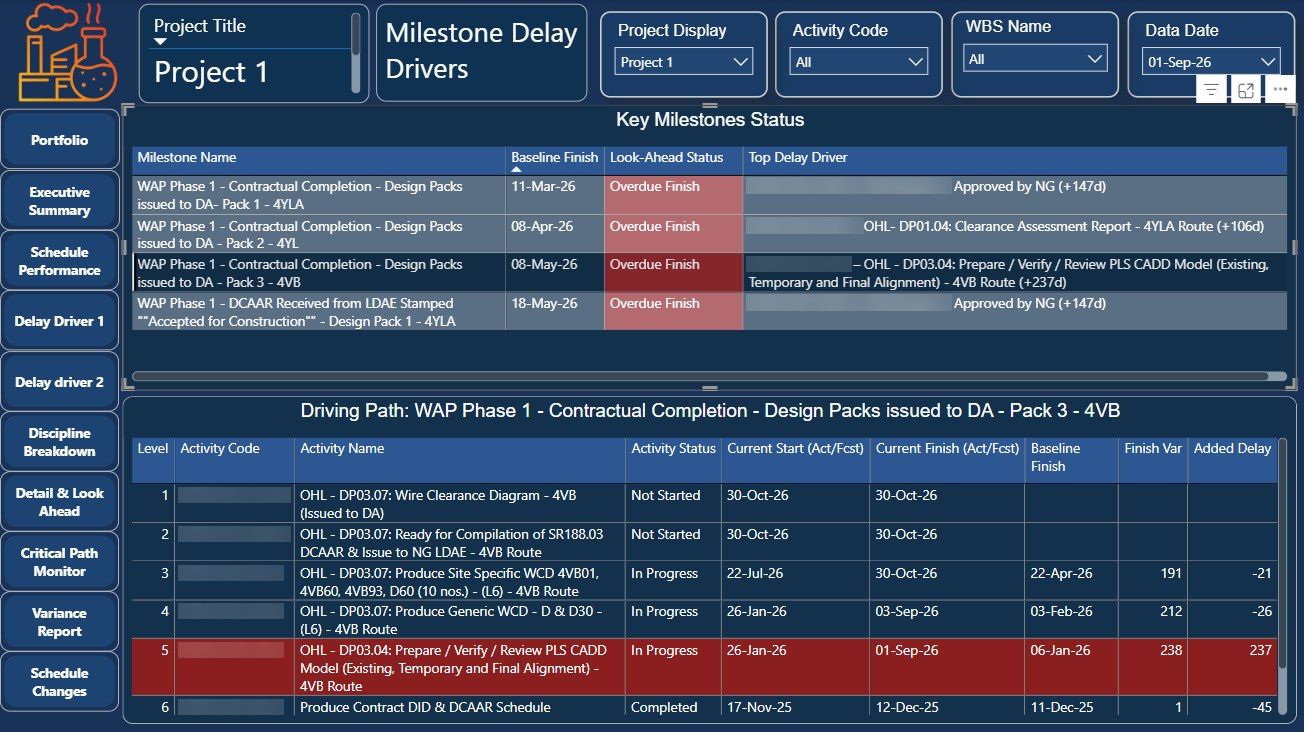
When a key milestone slips, the first question is which activity caused it. This page follows the driving path back from each milestone and shows how much delay every activity adds.
Top drivershown for every key milestone
Full pathfrom milestone back to the root activity
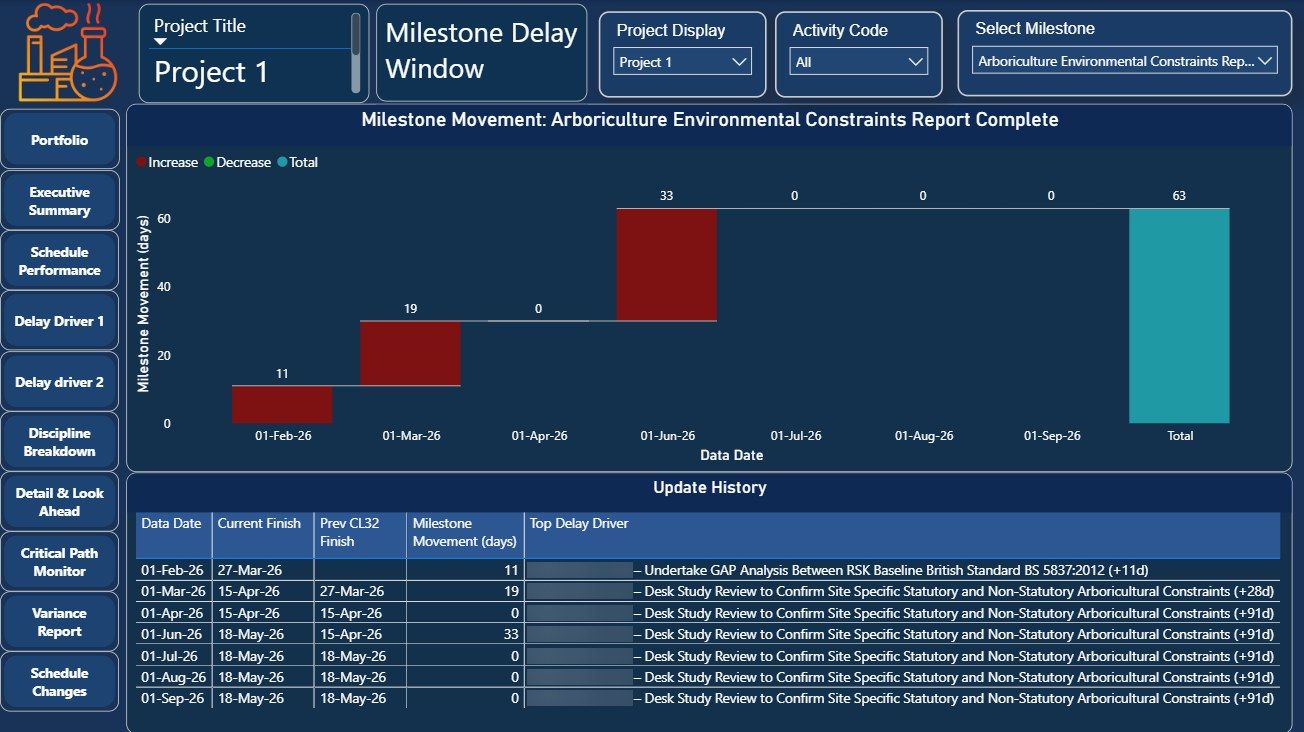
63 daysmovement traced in the example
Every updatehistory of what moved the date
The problem
A P6 update shows that a milestone moved, but not why. Finding the cause means following predecessors back one by one through the network, which is slow and easy to get wrong.
How it works
- Key milestones with their top driver. Each overdue milestone is listed with the activity that drives it and the delay it adds.
- The full driving path. Select a milestone to see every activity on its driving path, with current and baseline dates, finish variance and added delay.
- Movement by update. A waterfall shows how far the milestone moved in each update and which activity drove each step.
Walkthrough
Result
The review moves from "the milestone slipped" to "this activity pushed it by this many days", so the recovery discussion starts in the right place.
Project and client identifiers are hidden in the screenshots.